What Is Bandwidth? Network Capacity, Speed, and Throughput Explained
A large download slows down when several people share a connection. A video call feels delayed even though a speed test shows a high download rate. Both situations involve network performance, but they do not necessarily have the same cause.
Understanding bandwidth helps explain how much data a connection can carry, why actual transfer rates vary, and when upgrading a connection will help. It also makes it easier to distinguish capacity problems from latency, equipment limitations, and other bottlenecks.
What Is Bandwidth?
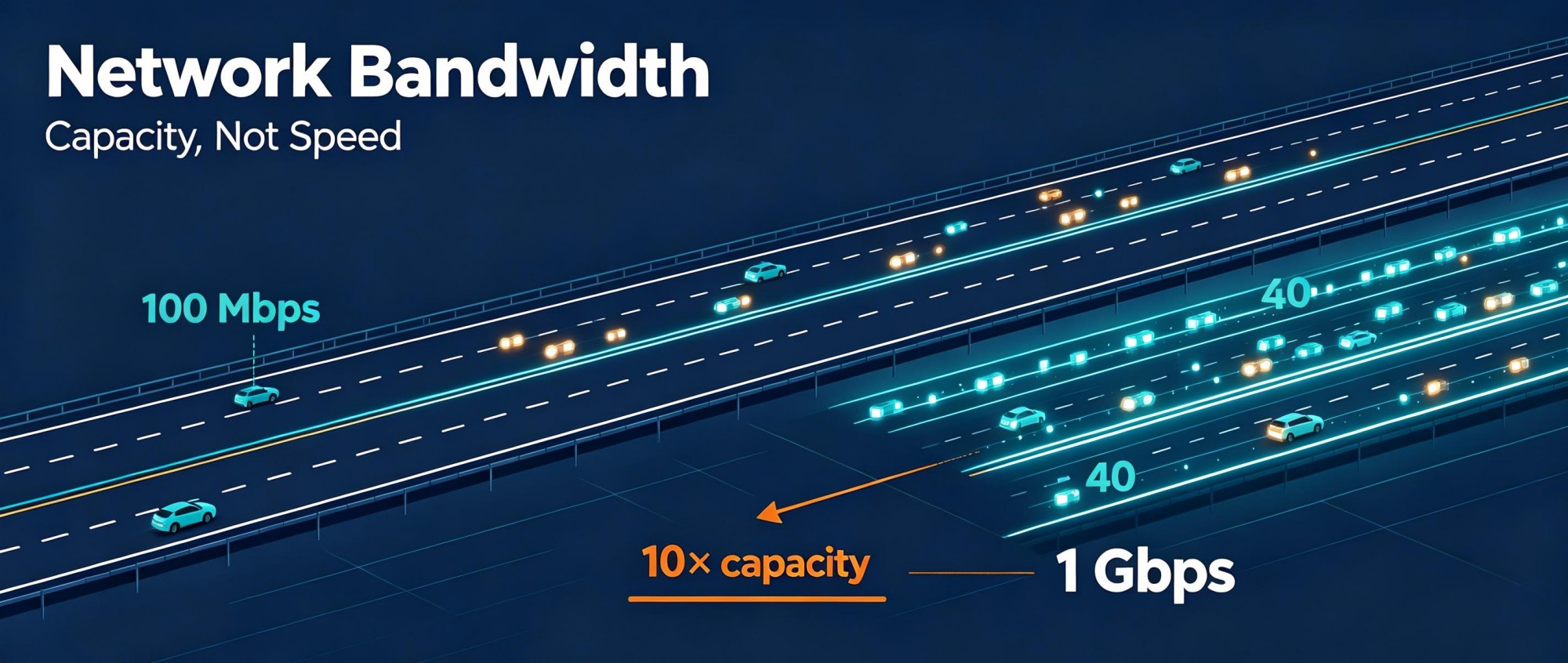
Network bandwidth is the maximum data transfer capacity of a network connection, usually expressed in bits per second. A 100 Mbps connection has a nominal capacity of 100 million bits per second; a 1 Gbps connection has ten times that capacity.
Think of bandwidth as the number of lanes on a road. More lanes allow more vehicles to travel at the same time, but they do not automatically increase each vehicle's traveling speed. Similarly, higher bandwidth allows more data to pass through a connection per second without necessarily reducing the time a signal takes to reach its destination.
In electronics and signal processing, bandwidth can also mean a range of frequencies, measured in hertz (Hz). That meaning is different from network capacity measured in bps. This article focuses on network bandwidth.
How Is Bandwidth Measured?
Common network bandwidth units include:
Unit | Meaning | Equivalent |
|---|---|---|
Kbps | Kilobits per second | 1,000 bps |
Mbps | Megabits per second | 1,000,000 bps |
Gbps | Gigabits per second | 1,000,000,000 bps |
One important distinction is bits versus bytes. Network rates generally use bits, while file sizes and download applications often use bytes. A byte contains eight bits, so 100 Mbps corresponds to a theoretical 12.5 MB/s, not 100 MB/s.
For example, transferring a 1 GB file over a 100 Mbps connection would take about 80 seconds under ideal conditions. At 1 Gbps, it would take about 8 seconds. These calculations use decimal units, where 1 GB equals 1,000 MB, and exclude protocol overhead and other limitations. Real transfers usually take longer.
Bandwidth vs. Speed, Throughput, and Latency
These terms describe related aspects of a network, but they answer different questions.
Term | What it describes | Typical unit |
|---|---|---|
Bandwidth | The connection's maximum data transfer capacity | Mbps or Gbps |
Throughput | The actual data transfer rate achieved under operating conditions | Mbps or Gbps |
Latency | The time data takes to travel between points | Milliseconds |
Speed | An everyday term that may refer to a plan's rated capacity or an actual transfer rate | Usually Mbps or Gbps |
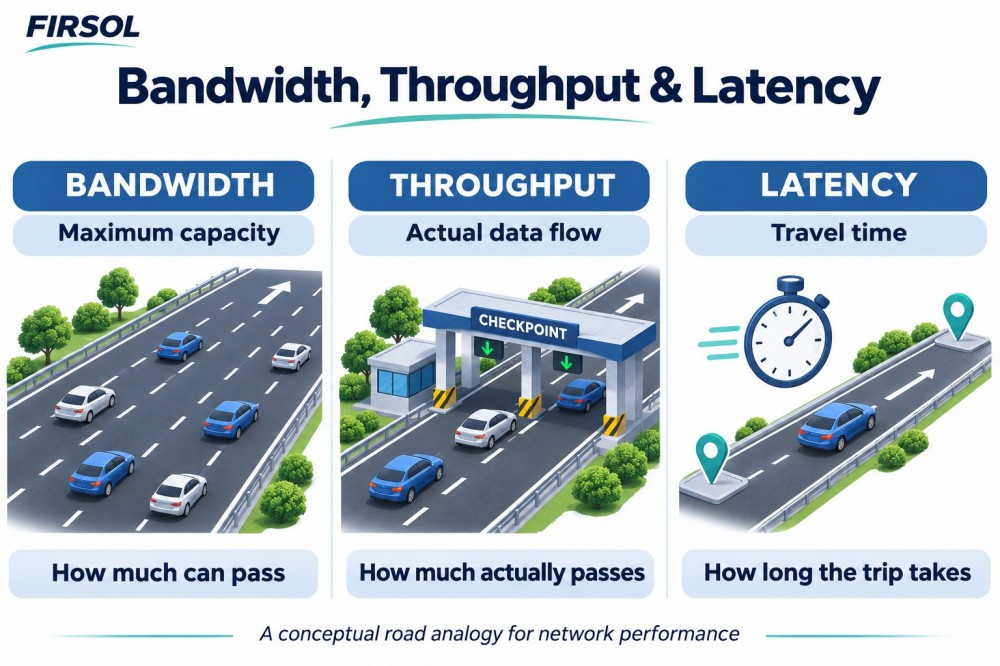
Suppose a connection is rated at 1 Gbps, but a transfer achieves 700 Mbps. Its rated bandwidth is 1 Gbps, while the measured throughput for that transfer is 700 Mbps. The difference can reflect shared traffic, protocol overhead, equipment limits, or other constraints.
Latency is a separate consideration. A high-capacity connection can still feel unresponsive if data takes a long time to reach the other end. Increasing bandwidth can reduce congestion-related delays, but it does not automatically fix delays caused by distance or routing.
For large file transfers, available capacity strongly affects completion time. For interactive tasks such as calls and remote desktop sessions, latency and packet loss also matter.
Why Does Actual Network Performance Vary?
Shared traffic and congestion
Devices using a shared connection compete for its capacity. Backups, downloads, and video streams running together can leave less capacity for each task. When traffic exceeds what a link can carry, packets may queue or be dropped.
This does not necessarily change the link's rated bandwidth. It changes the capacity available to individual users and the performance they experience.
Equipment and connection limits
A network path can include a computer, switch, router, firewall, and internet connection. Any of them may become a bottleneck.
For example, a 10 Gbps local network cannot deliver a 10 Gbps internet download through a 1 Gbps internet connection. A server's storage performance or a firewall's processing capacity can also limit a transfer.
Protocol overhead and retransmissions
Network communication includes headers, acknowledgments, and other information beyond the file being transferred. These consume part of the connection's capacity. Lost packets may need retransmission, further reducing the useful data delivered per second.
Transmission medium and link conditions
Wi-Fi performance can vary with interference, signal strength, and competing devices. Copper links depend on suitable cabling and installation. Optical fiber carries light and is immune to electromagnetic interference along the fiber, but optical links still depend on compatible equipment, acceptable loss, and suitable fiber characteristics.
Provider policies
An internet service plan may limit upload and download rates. A monthly data allowance is different: it limits cumulative usage, typically in GB or TB. Exceeding that allowance may trigger charges or throttling, depending on the plan, but the allowance itself is not a bandwidth measurement.
How Much Bandwidth Do You Need?
Start with the activities that occur at the same time. Occasional browsing requires a different capacity plan from an office running video meetings, cloud backups, and large file transfers simultaneously.
Consider both directions. Download capacity matters when receiving files or streaming content; upload capacity matters when sending large files, backing up data, or transmitting video. A plan with fast downloads may offer much less upload capacity.
As a simple planning example, five simultaneous tasks each requiring 10 Mbps would need about 50 Mbps in the relevant direction before allowing for other traffic and headroom. Actual demand varies, so monitor busy periods rather than relying only on device counts.
If performance deteriorates while utilization stays near the connection's limit, more capacity may help. If utilization is low, investigate other causes before upgrading.
How Can You Check Your Bandwidth?
An internet speed test measures the throughput achieved between your device and a test server at that moment. It does not directly measure the full capacity of every component in your network.
For a useful baseline, use a wired connection where possible, pause unnecessary transfers, and confirm that the device and port support the expected rate. Compare results at different times. If wired performance is good but Wi-Fi performance is poor, focus on the wireless connection.
For business networks, interface monitoring helps identify busy links and recurring congestion. Separate local network tests from internet tests so you can identify which part of the path needs attention.
Bandwidth in Fiber Optic Networks
Fiber supports high-capacity connections, but a fiber cable alone does not determine network bandwidth. The operating rate depends on the equipment at both ends, the supported interface standard, and whether the optical link meets that standard's requirements.
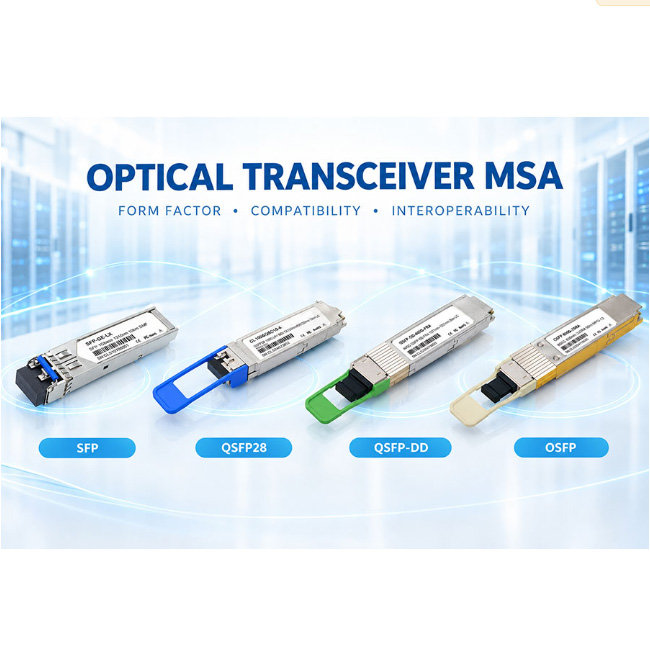
For example, replacing a patch cable on a functioning 1 Gbps connection does not automatically turn it into a 10 Gbps connection. The ports and optical transceivers must support the higher rate, and the fiber path must meet the applicable requirements.
Distance also matters, although a fixed-rate optical link does not simply become progressively slower with every additional meter. Fiber type, attenuation, dispersion, and the transceiver specification determine the supported rate and reach. An unsuitable link may experience errors or fail to establish a connection.
For multimode fiber, specifications may include a modal bandwidth-distance product in MHz·km. This is not an Ethernet data rate in Mbps or Gbps; it helps characterize the fiber's ability to carry signals over distance under specified conditions.
When selecting fiber components, match the fiber type, connectors, wavelength, and link length to the intended equipment. Suitable components help the link meet its performance requirements, while capacity upgrades require checking the complete path.
Example: Why a 10G Fiber Network May Deliver Less Than 1 Gbps Online
Illustrative scenario only. The rates below are assumptions used to explain a bottleneck, not measurements from a Firsol installation.
Imagine an office with a 10 Gbps fiber backbone between its switches and a 1 Gbps internet service. Assume the computer connection, router, and remote server can all support at least 1 Gbps, and no other users are transferring data.
Part of the path | Assumed capacity | What it means |
|---|---|---|
Local fiber backbone | 10 Gbps | Provides capacity for traffic within the office |
Internet connection | 1 Gbps | Limits this internet transfer to no more than 1 Gbps before overhead |
File download | Below the 1 Gbps ceiling in practice | Also depends on overhead, server performance, and other conditions |
The 10G backbone does not make the internet connection operate at 10 Gbps. For this download, the 1 Gbps service is the lowest-capacity link in the assumed path. Local transfers that stay within the office avoid that internet bottleneck, although their performance still depends on the computers, storage, and local network.
What does this mean for a large file?
A 10 GB file contains 80 gigabits using decimal units. At an ideal 1 Gbps, the transfer would take 80 seconds; at an ideal 10 Gbps, it would take 8 seconds. These are calculation-only lower bounds that exclude overhead and assume sustained transfer at the stated rate. The internet download in this scenario cannot achieve the 8-second result simply because part of its path uses 10G fiber.
What should you check before replacing the fiber?
First compare a local network transfer with an internet transfer. Verify link rates, check interface errors and utilization, and confirm whether storage or endpoint processing limits the test. A memory-based network test can help separate network capacity from disk performance, though its result also depends on the test configuration and endpoints.
If local performance is good and internet throughput approaches the service limit, replacing a functioning patch cable will not remove the internet bottleneck. If local tests also perform poorly or show errors, inspect the local equipment and optical link before drawing conclusions. Check connector cleanliness, compatibility, and optical power against the relevant transceiver specifications.
The practical lesson: identify the constrained part of the path before upgrading components. A link's advertised rate and a file's observed transfer rate describe different things.
Frequently Asked Questions
Does higher bandwidth always mean faster internet?
It can shorten downloads and support more simultaneous activity when capacity is the bottleneck. It may offer little improvement if performance is limited by a remote server, Wi-Fi conditions, latency, or device hardware.
Does bandwidth affect gaming?
Enough capacity is necessary, especially when sharing a connection. Once that need is met, latency, jitter, and packet loss often matter more to gameplay than a higher advertised bandwidth.
Can a better fiber patch cable increase bandwidth?
Replacing a damaged or unsuitable cable can restore reliable performance. Replacing an appropriate, functioning cable generally does not raise the configured link rate by itself.
Is fiber bandwidth unlimited?
No. Fiber supports substantial capacity, but each deployed system has limits determined by its equipment, transmission technology, fiber characteristics, and link design.